All your AI limits
at a glance. Before
they stop you.
AI-Cockpit shows Claude, ChatGPT, OpenAI, the Anthropic API and Kimi in one window — with forecasts, sparklines and your active Claude Code sessions. Right from the menu bar.
⌃⌥⌘A opens the cockpit from anywhere.
The full cockpit
Two columns, ordered by provider: the subscription sits above the API bill of the same house. Below, your active Claude Code sessions with context usage.
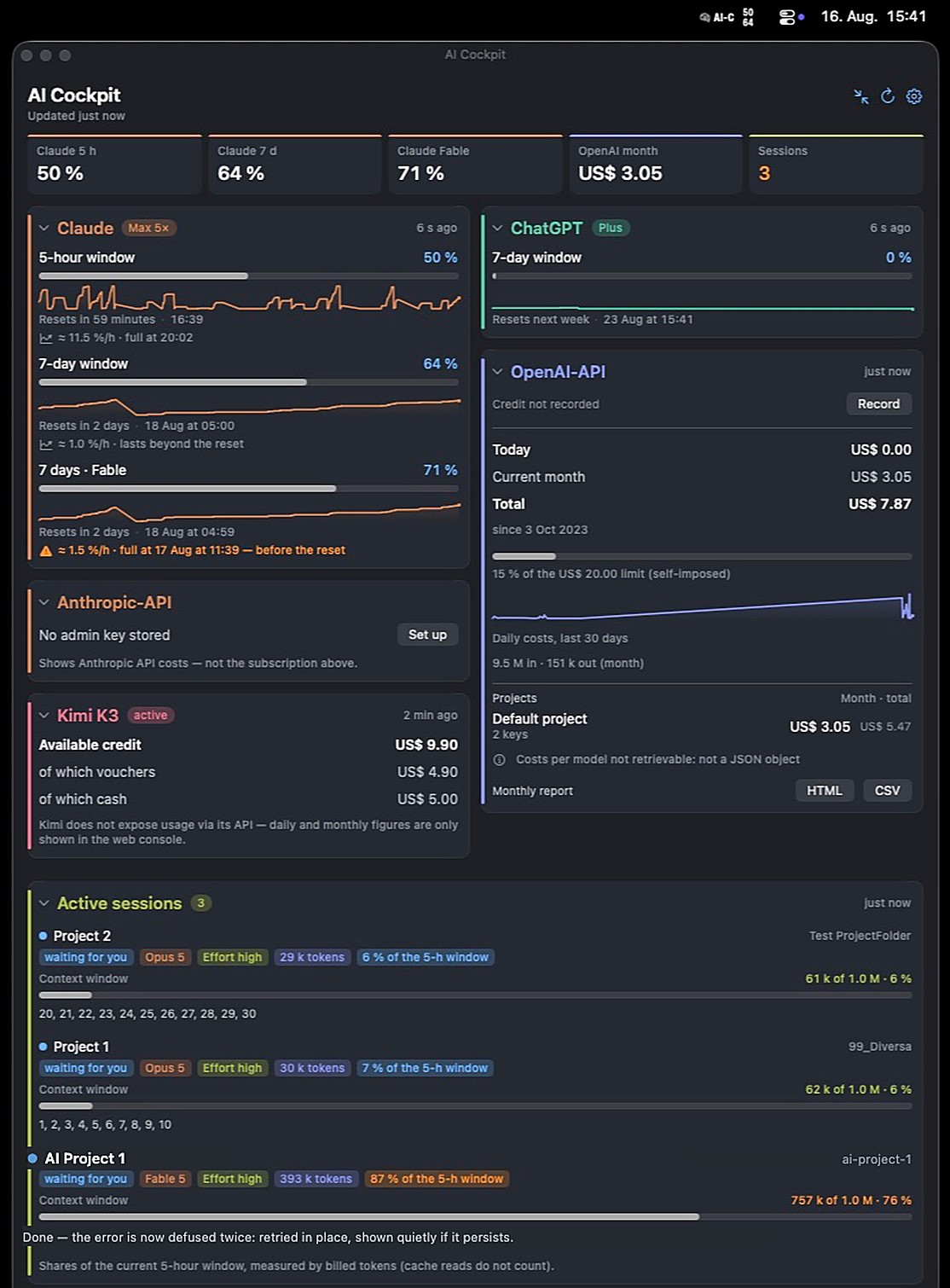
dashboard — full view with forecast and sparklines
Features
Built for people who work with several AI subscriptions and APIs every day.
Claude limits, live
5-hour and weekly windows, broken down by model — with a forecast of when you'll hit the limit.
ChatGPT & Codex
Your ChatGPT subscription limits via the local Codex install — no extra sign-in.
API costs
OpenAI and Anthropic API spend with monthly budget, credit tracking and anomaly detection.
Active sessions
Running Claude Code sessions with model, context usage and a heads-up when a session is waiting for your input.
Kimi K3
Balance and coding quota of the Moonshot API, international or China.
Alerts & history
Notifications at 75% and 90%, sparklines across the day, retention you control.
Quiet in the menu bar
Both values, only the most critical one, a ring or the time remaining — you decide how much space the cockpit takes up top.




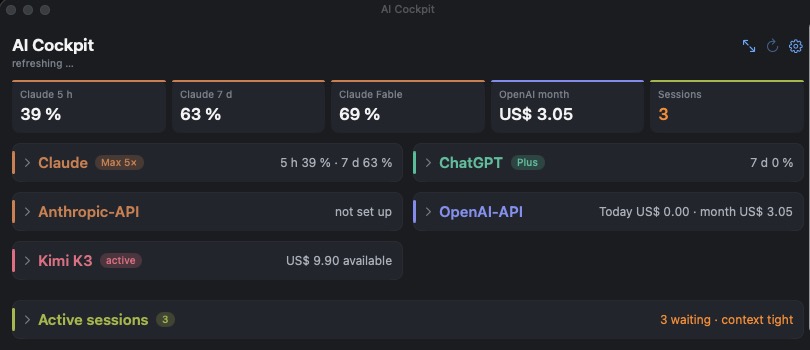
Compact when you want
Cards collapse to a single line; the key figure stays in the header. Light and dark mode selectable — dark is the default.
Your keys stay yours
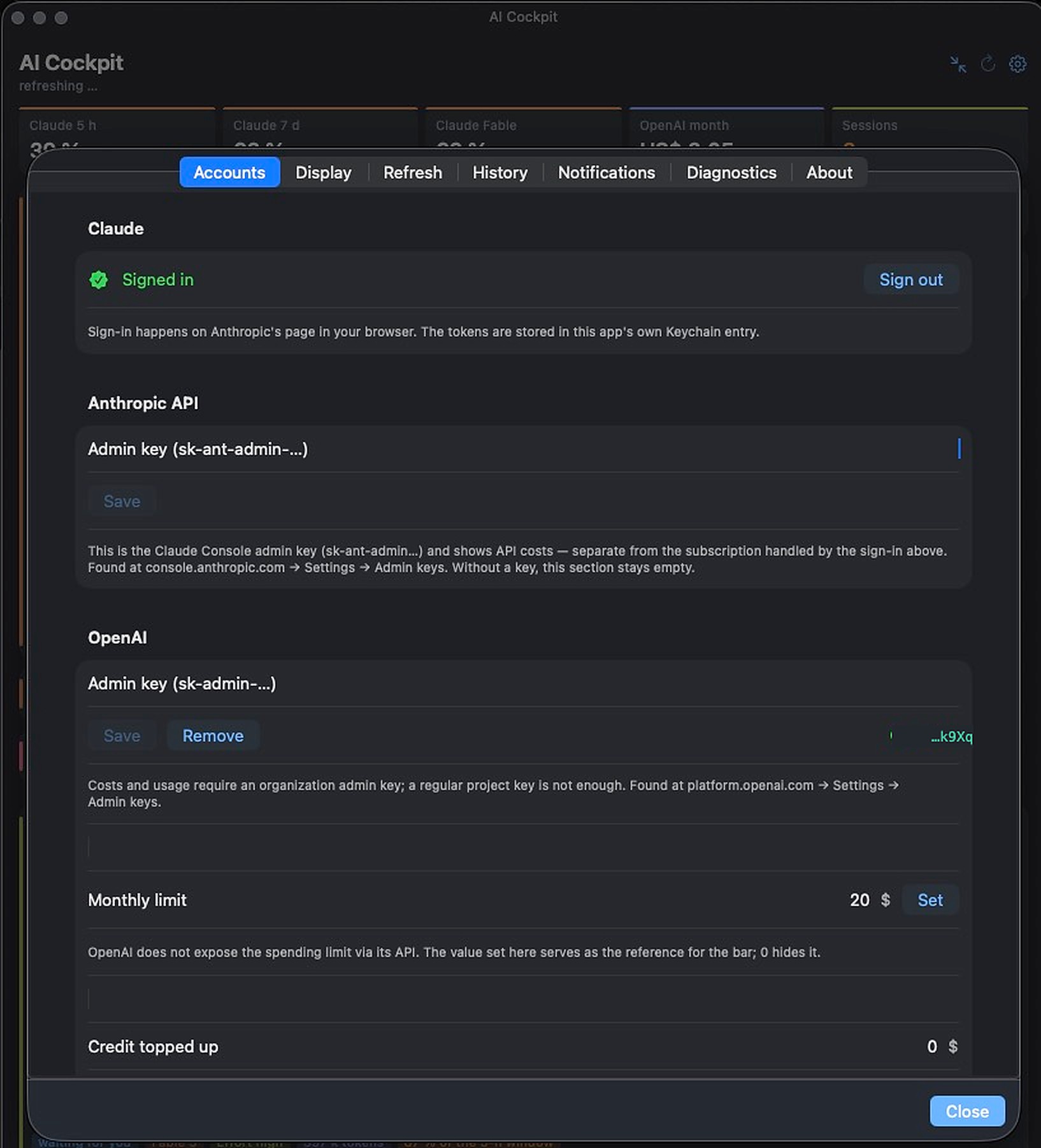
AI-Cockpit is a native Swift app — no server, no telemetry, no account.
- Credentials live exclusively in the macOS Keychain
- Direct connection to the official APIs — no middleman
- Built by an indie developer in Switzerland — no VC, no data business
- No accessibility access required — hotkey ⌃⌥⌘A runs natively
Feedback & feature requests
Missing a provider? Want a metric the cockpit doesn't show yet? Tell us — short and direct is perfect.
Ready for the cockpit?
Signed, notarized and with automatic updates — coming to the Mac App Store.
CHF 3.50 one-time · no subscriptions · no in-app purchases